Bloomreach Grid Editor
Project Type
Product
Role
6 Stages
Sr. Product Designer
Deliverables
Product Design, Workflow Design, Design System, Web App, UX Research
Introduction
The Bloomreach Grid Editor redesign reimagined how merchandisers work with AI to manage product listings. As a key part of Bloomreach’s merchandising tools, it needed to evolve from a rigid, confusing system into one that felt intuitive and empowering. The goal was to make automation feel simple, transparent, and built for the people behind every online storefront.
What problem were we solving?
Merchandisers relied on the Grid Editor to control product ranking, but the interface made it hard to understand how rules interacted or why certain results appeared. Research surfaced consistent pain points around unclear feedback, difficulty diagnosing rule conflicts, and a lack of transparency in how AI-driven recommendations were applied. The problem was creating a system that let users see the impact of their decisions without wading through complexity.
What made this project challenging?
Rules often overlapped, triggered each other, or competed for priority, which made outcomes unpredictable and hard to explain. Our design strategy focused on surfacing the right signals at the right moment through clearer hierarchy, inline previews, and rule explanations. The challenge was presenting complex logic in a way that felt intuitive, actionable, and aligned with how merchandisers actually work day-to-day.
Business Challenge
Bloomreach wanted to position its AI as augmenting human merchandisers — not replacing them. To do that, the UI needed to create a sense of collaboration between human intuition and AI intelligence.
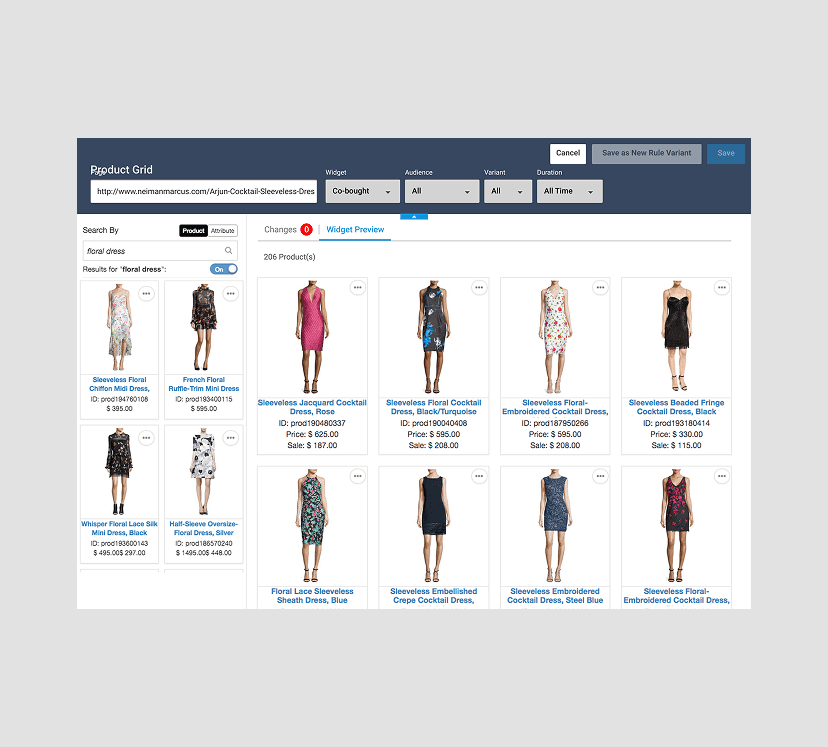
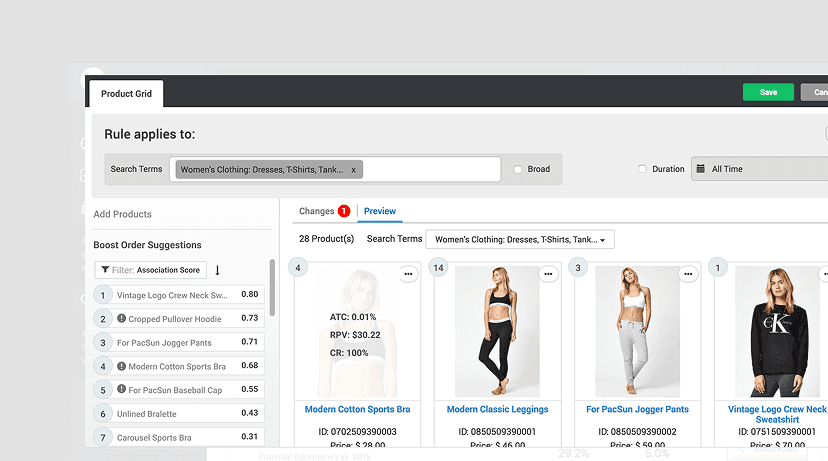
With the old interface, merchandisers struggled to trust the AI-driven rankings due to a cluttered, non-responsive interface, unintuitive controls, and a lack of clear feedback between their manual edits and the algorithm’s decisions.
Role & Impact
Led the end-to-end design process, from defining the problem and success metrics to crafting the visual language, interaction model, and high-fidelity implementation in close collaboration with PMs and engineers.
Interaction Model
Defined the interaction model and streamlined workflows for creating, previewing, and refining product rules with ease.
Design System
Created the visual language and scalable design system that unified the merchandising suite and accelerated development.
Conflict Resolution
Designed visual indicators and conflict-resolution tools to bring clarity and transparency to AI-driven decision-making.
Interaction Specs
Led detailed handoff documentation and interaction specs to ensure accurate, high-fidelity implementation with engineering.
Design Strategy
The design centered around creating an intuitive interface with clear workflows, real-time visual feedback, and contextual guidance while laying the foundation for a scalable design system.
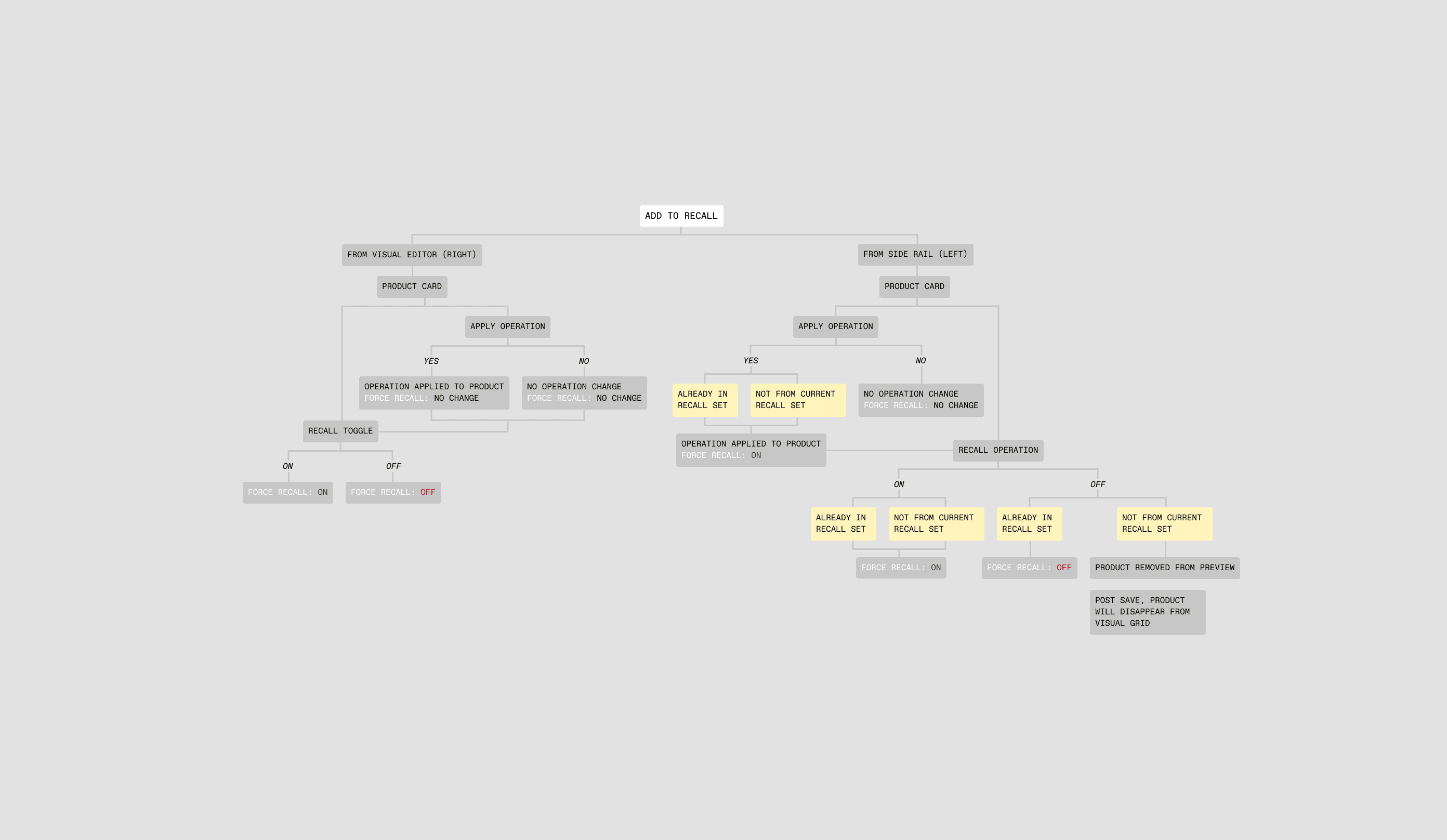
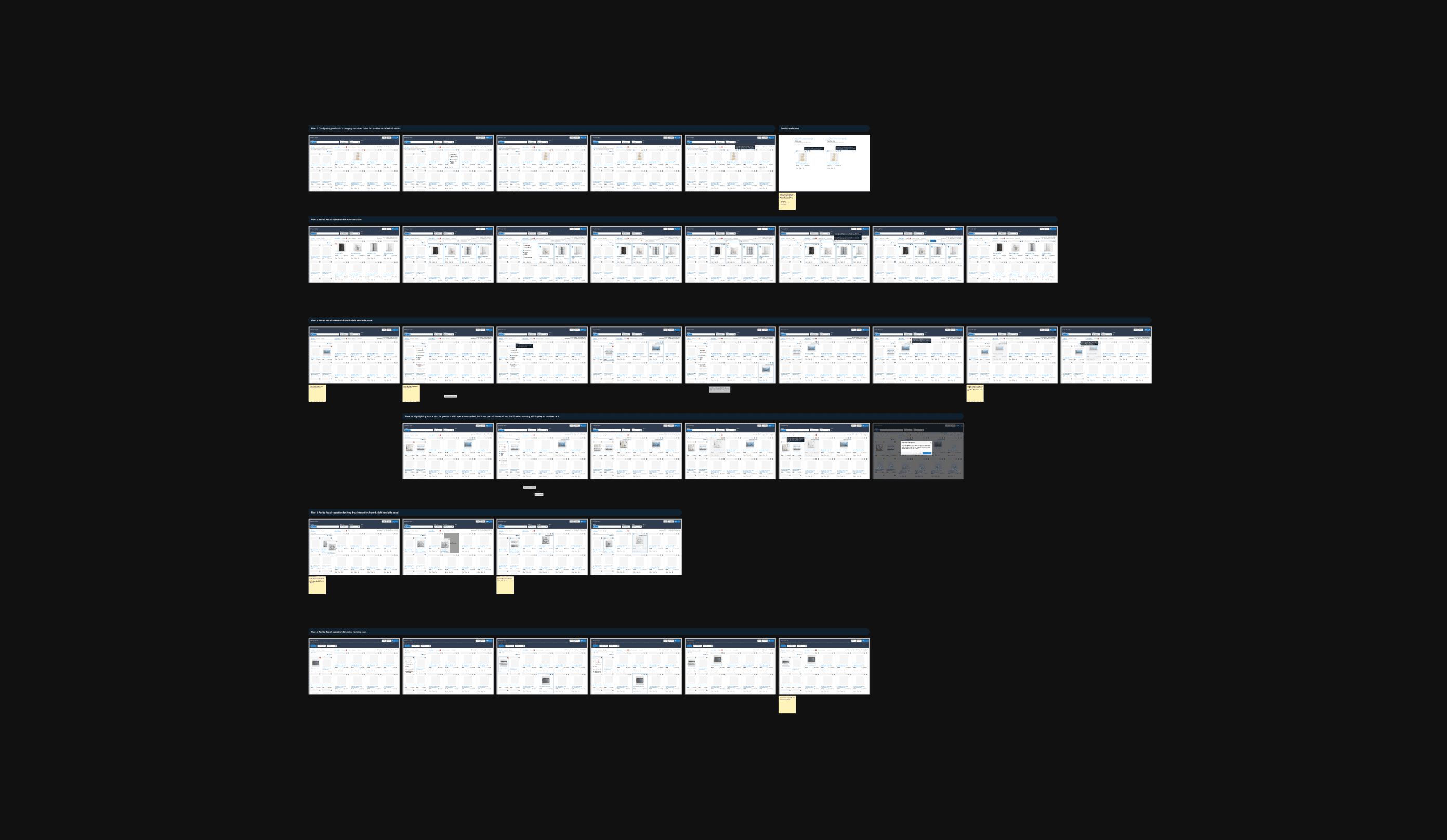
We mapped every rule interaction to reveal hidden friction and logic gaps across the merchandising flow. This clarity aligned design, product, and engineering around a shared mental model—turning a complex, technical system into a smoother, more intuitive experience for users.
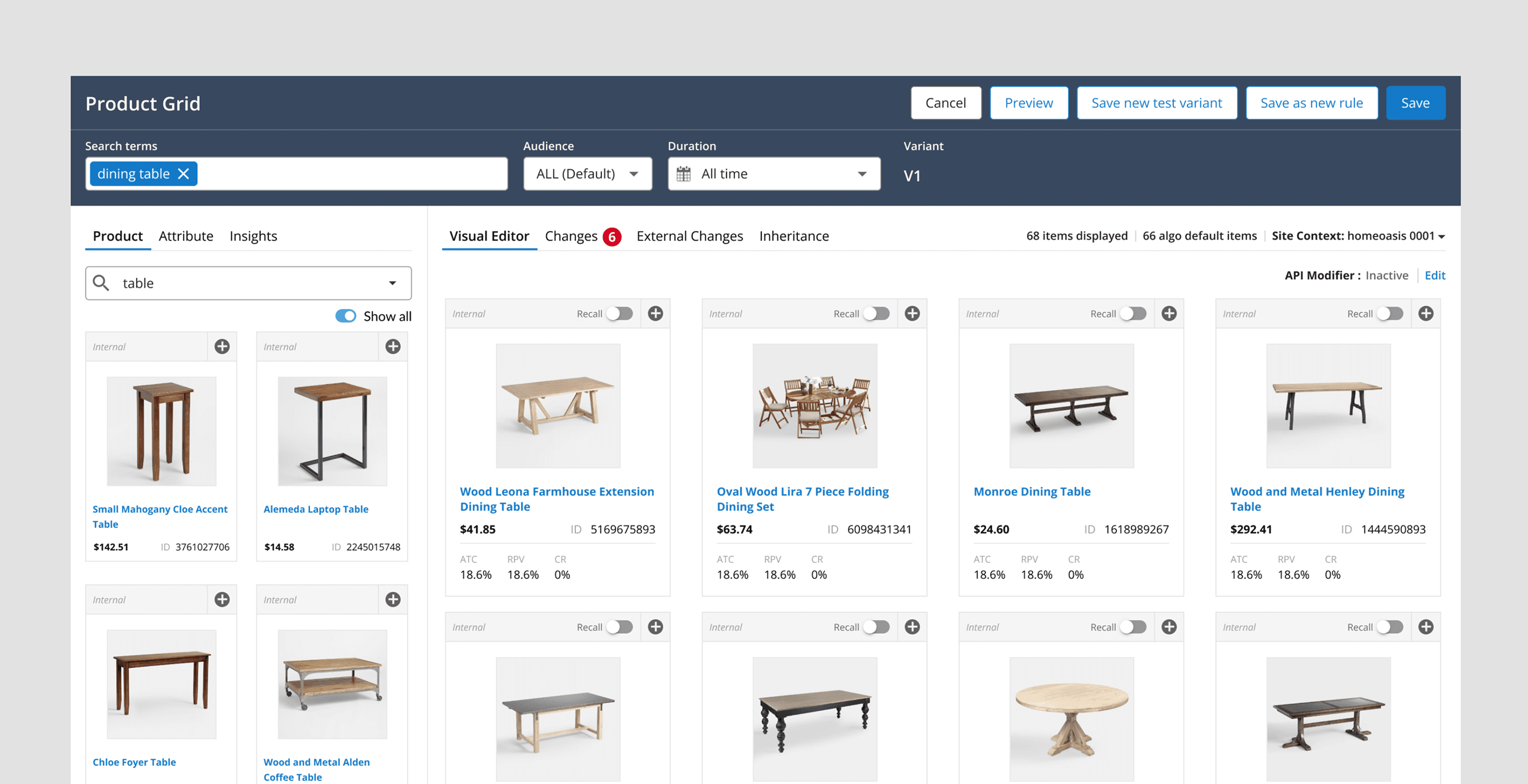
Query/Category Box: Simplified input with autosuggest for faster, easier entry.
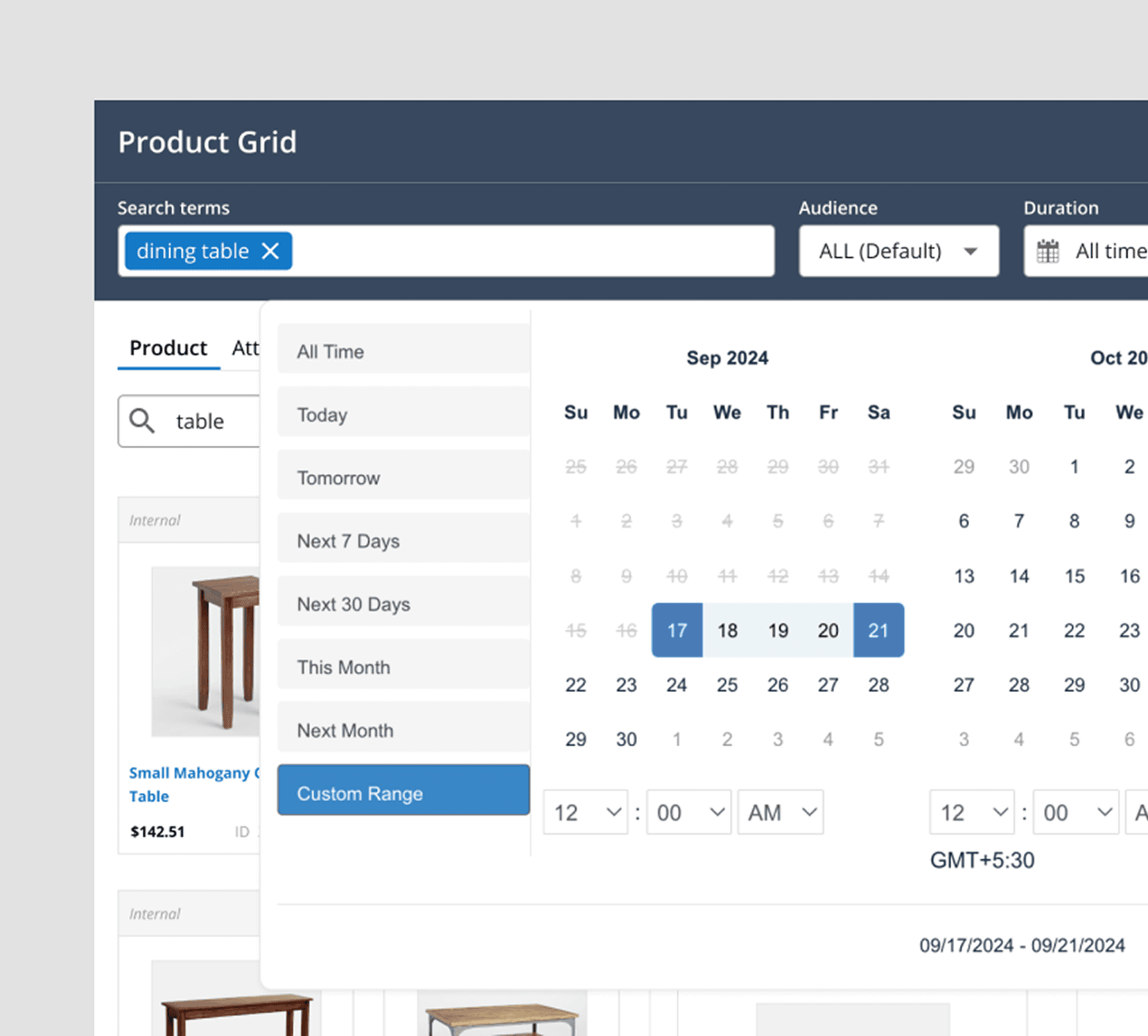
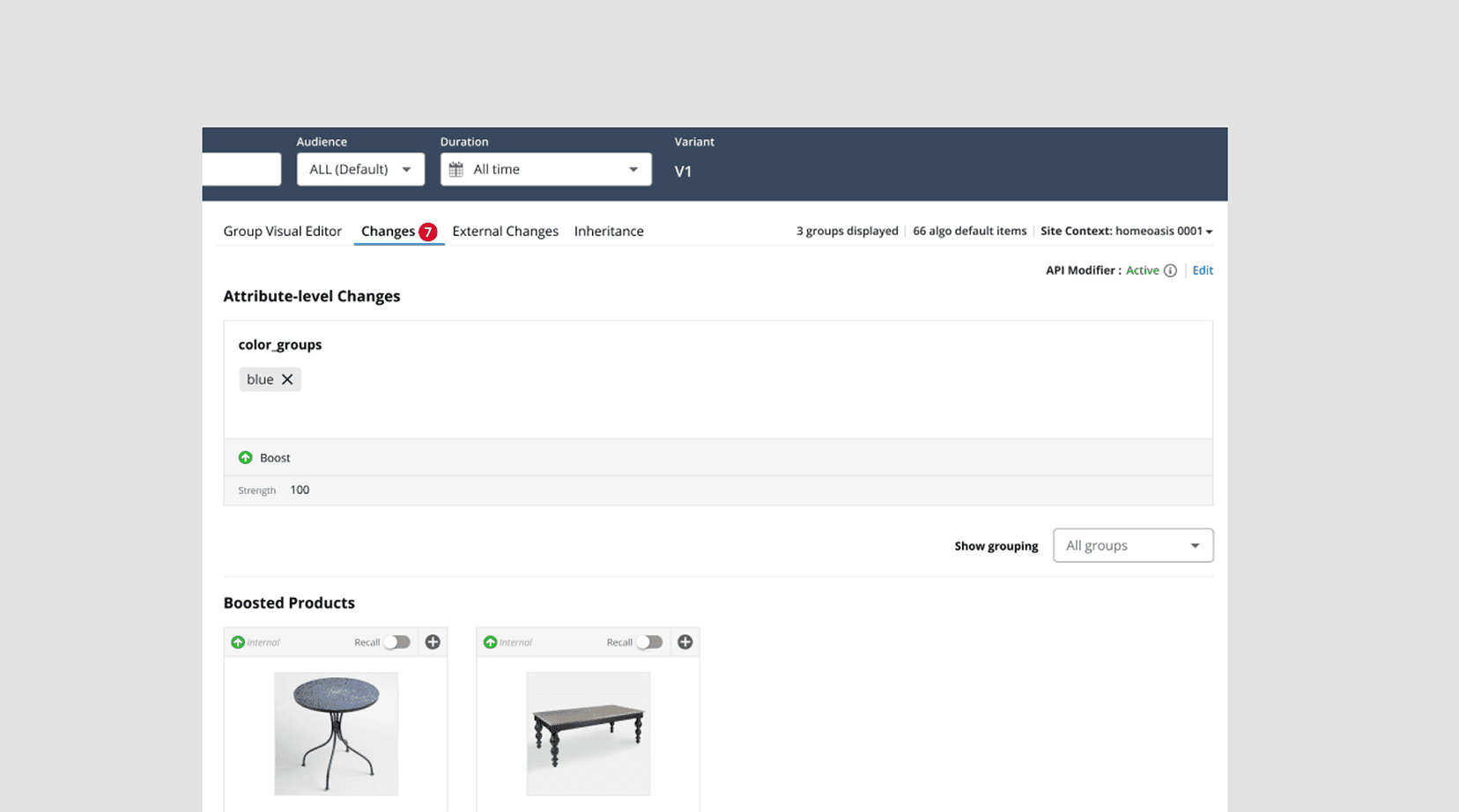
(Left) Audience and Duration Drop-downs: Clearer explanations for segments and rule timelines. (Right) Product & Attribute Rules: Searchable panel with filtering and sorting for easier rule management.
Visual Editor
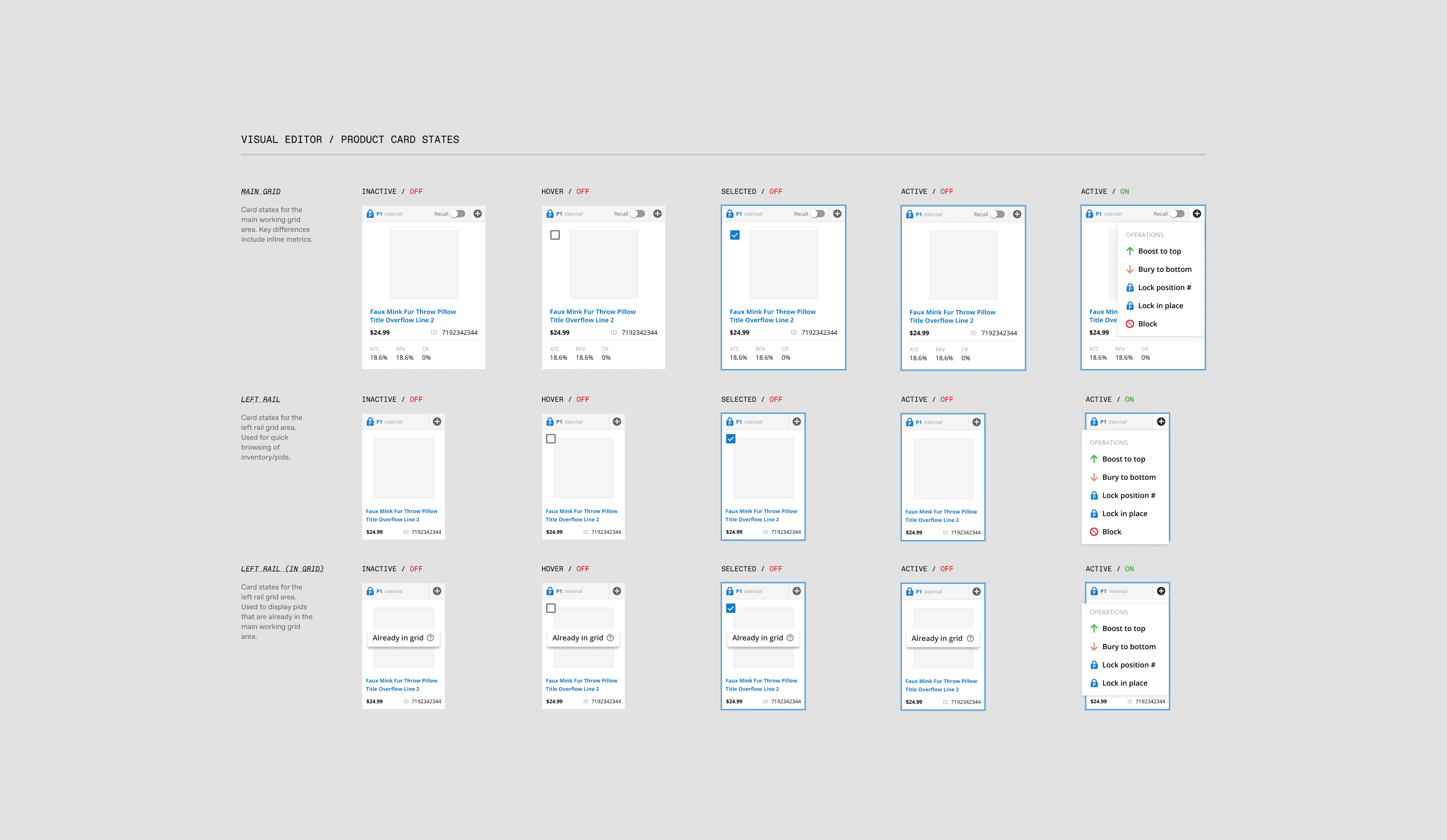
The Editor gives merchandisers real-time insight into how their rules shape the product grid.
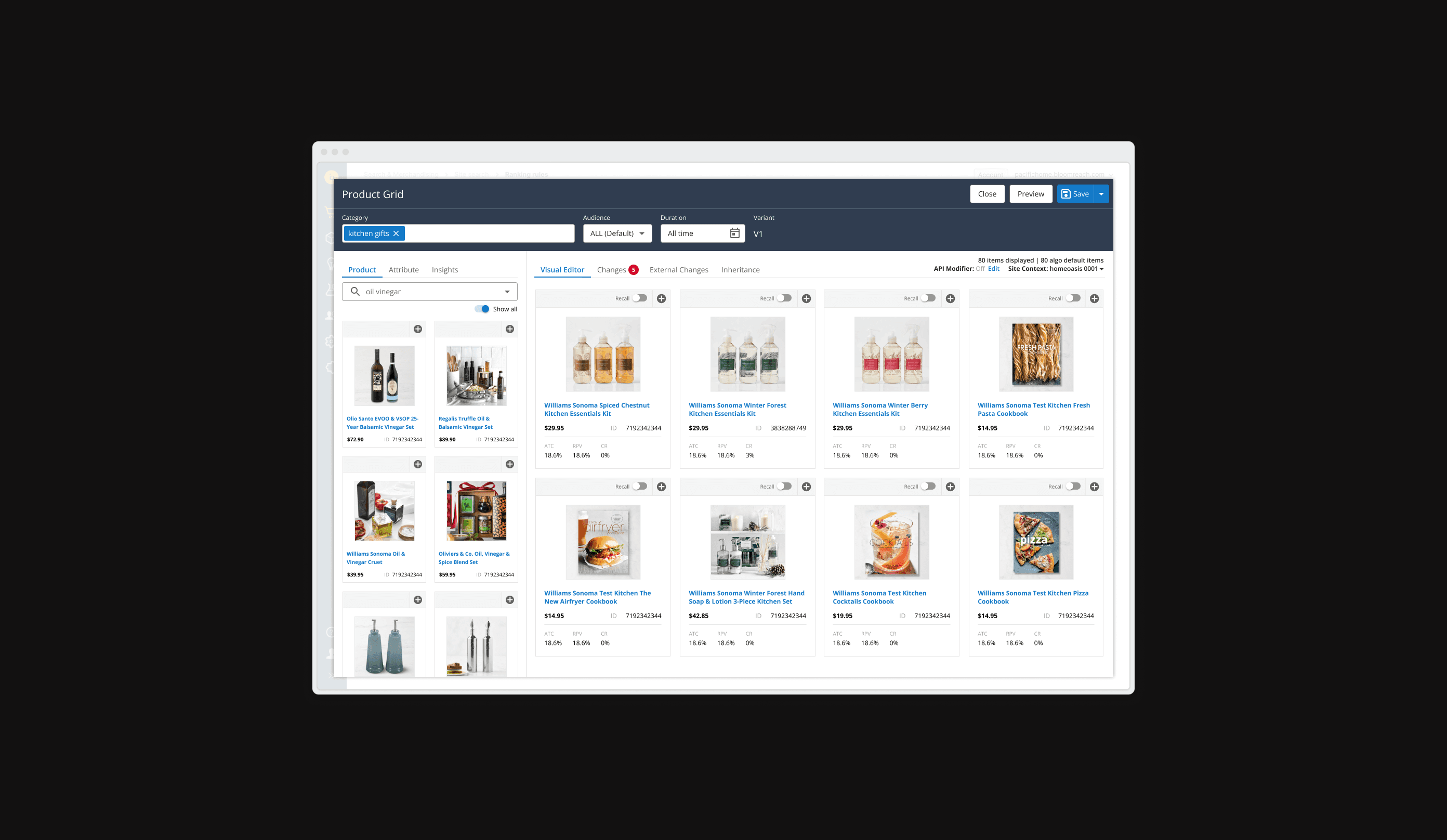
The goal was to create a transparent, trustworthy interface that empowered merchandisers to easily edit AI-driven product grids, streamline collaboration across teams, and establish a scalable design system for future growth.
Bulk Operations
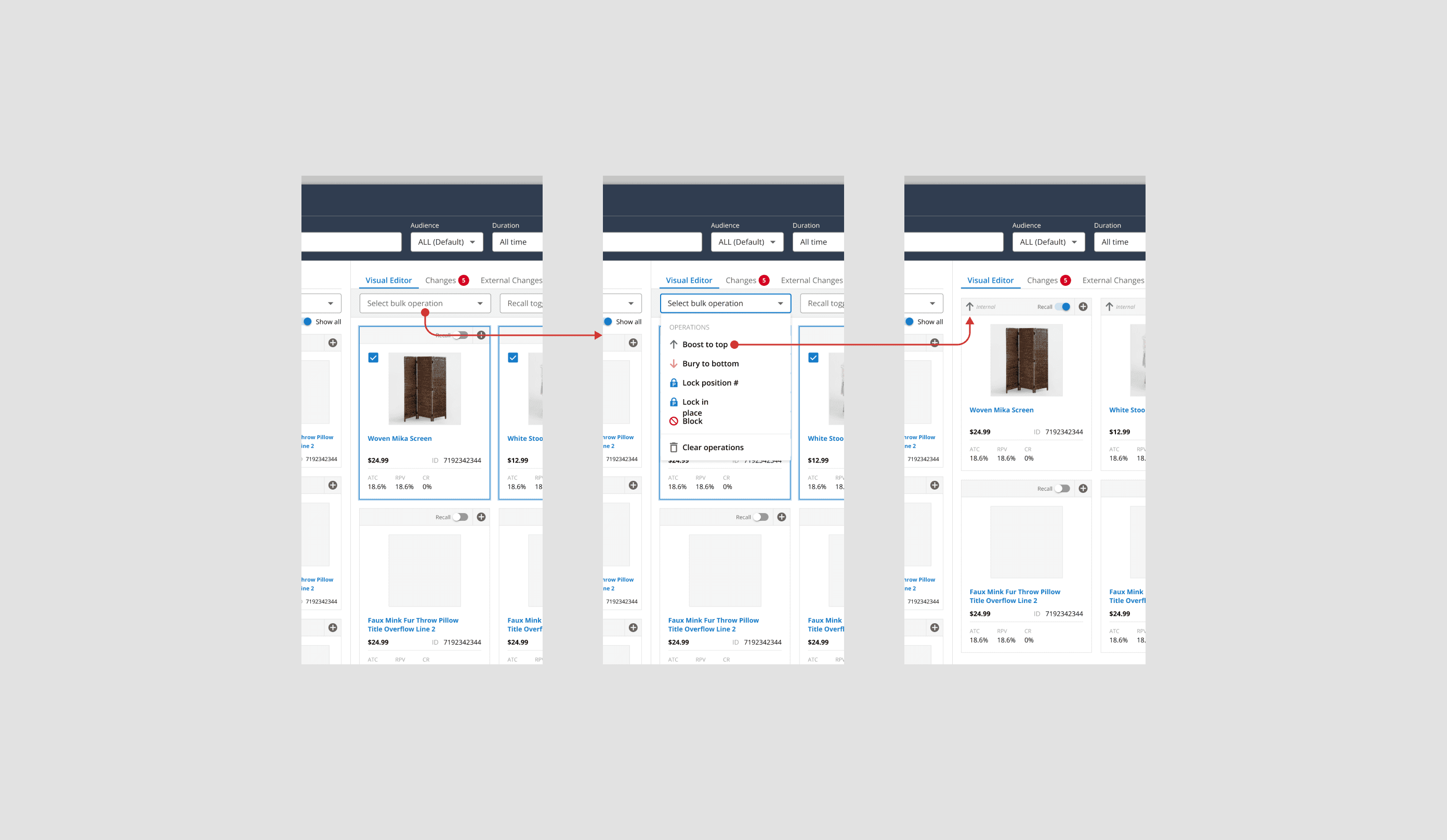
Bulk product actions for faster merchandising
Users can now select multiple products in the grid using checkboxes and apply a bulk “Add to Recall” action. A dynamic toolbar appears when items are selected, providing clear messaging, product counts, and a confirmation prompt to ensure accuracy.
Drag and Drop
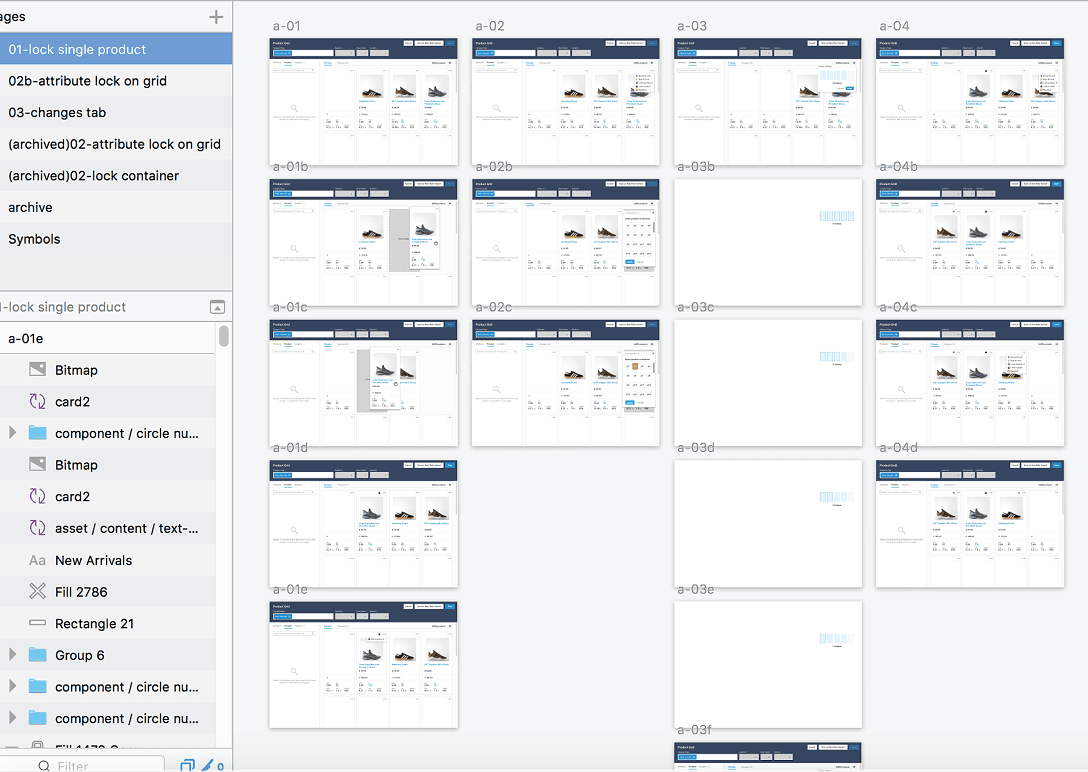
Intuitive drag-and-drop for product reordering
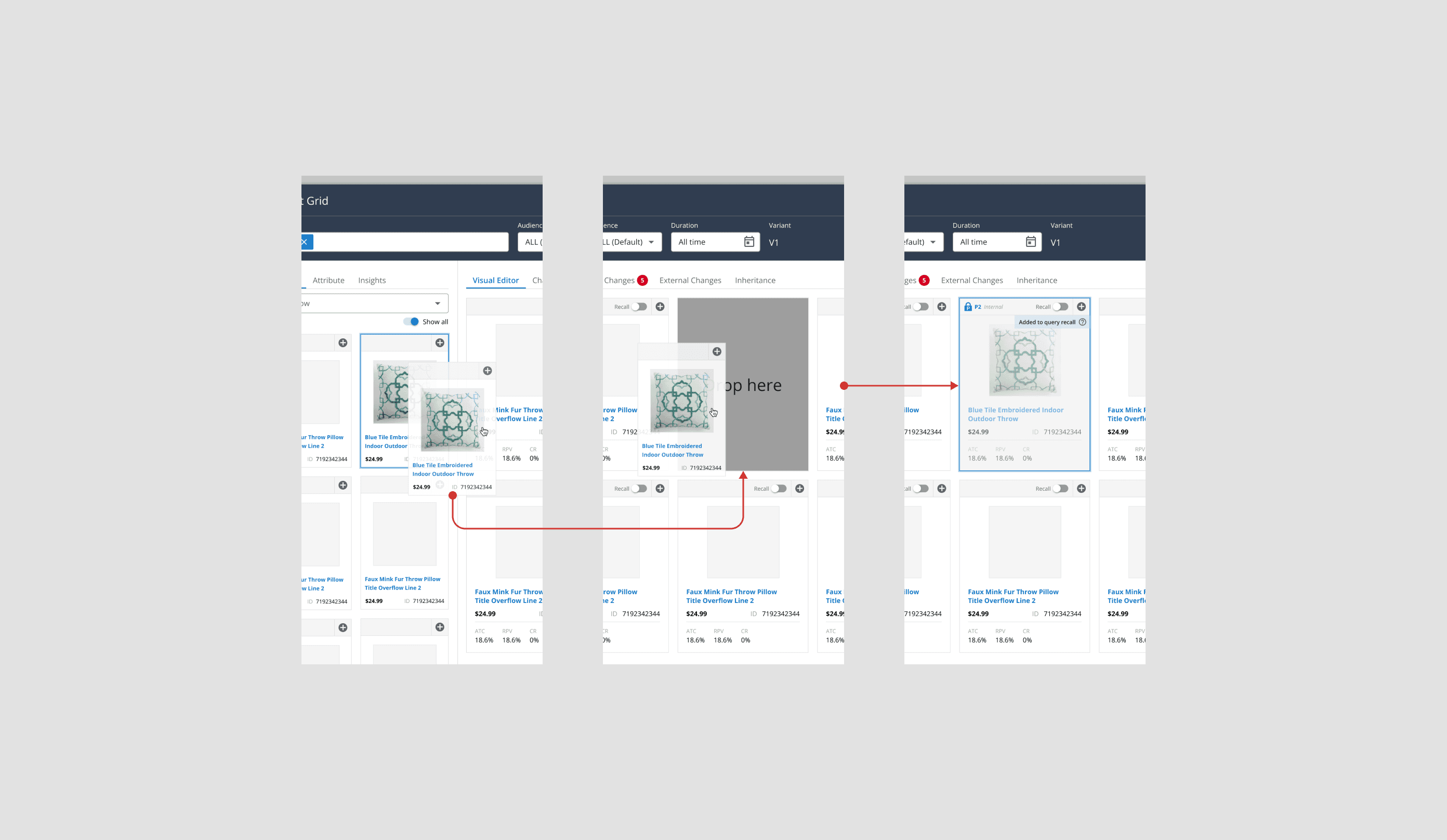
Introduced a smooth drag-and-drop interaction that lets users rearrange products directly within the grid and move items into the recall section. Animated transitions and placeholder indicators guide the user through the process, making product organization more natural and tactile.
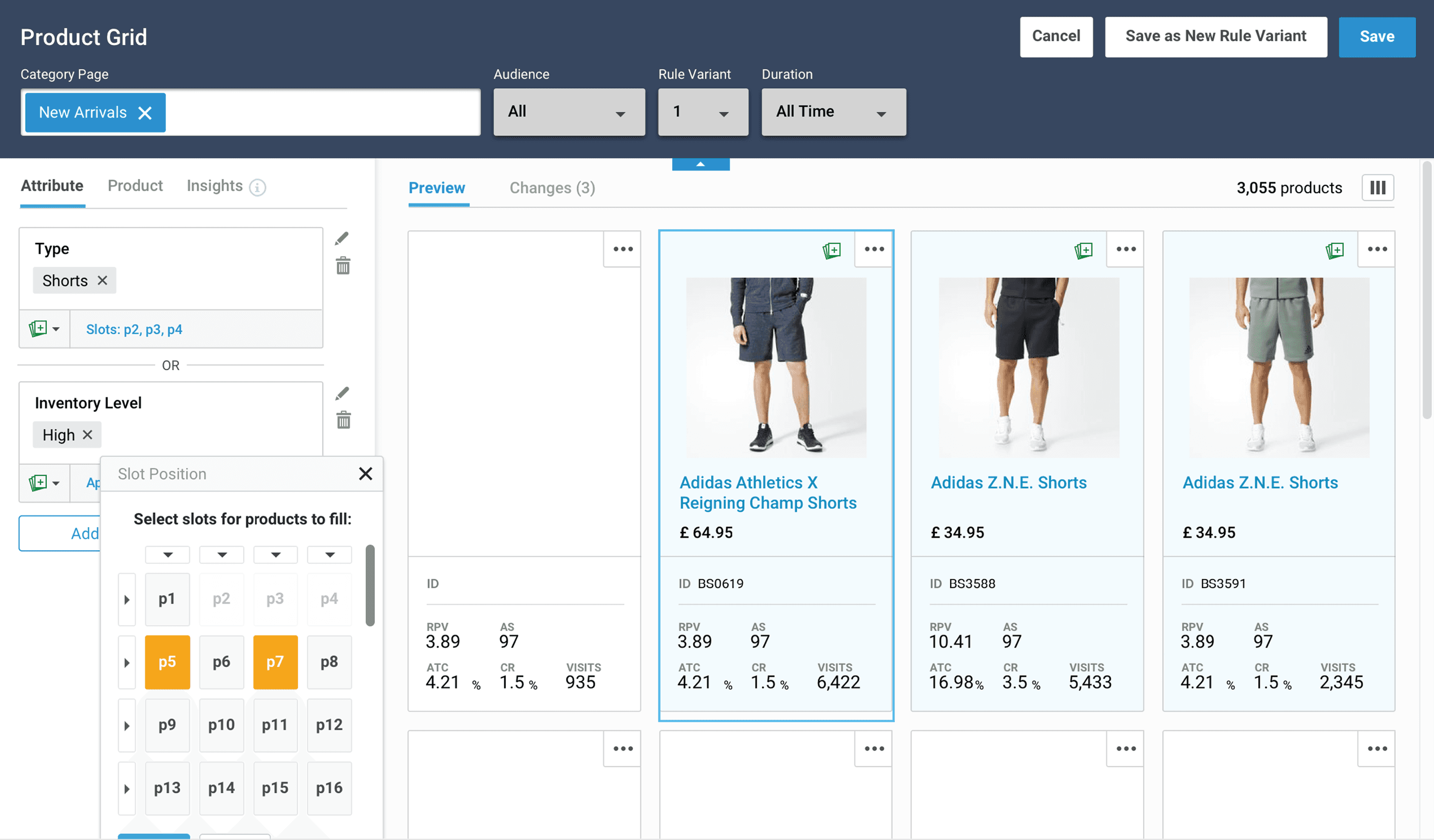
This interaction lets merchandisers pin high-performing or strategic products to exact positions in the grid—without disrupting the underlying ruleset. It’s a simple, flexible control that brings clarity to visual merchandising and drives business intent right into the layout.
Design System
A scalable design system to unify experience and accelerate growth
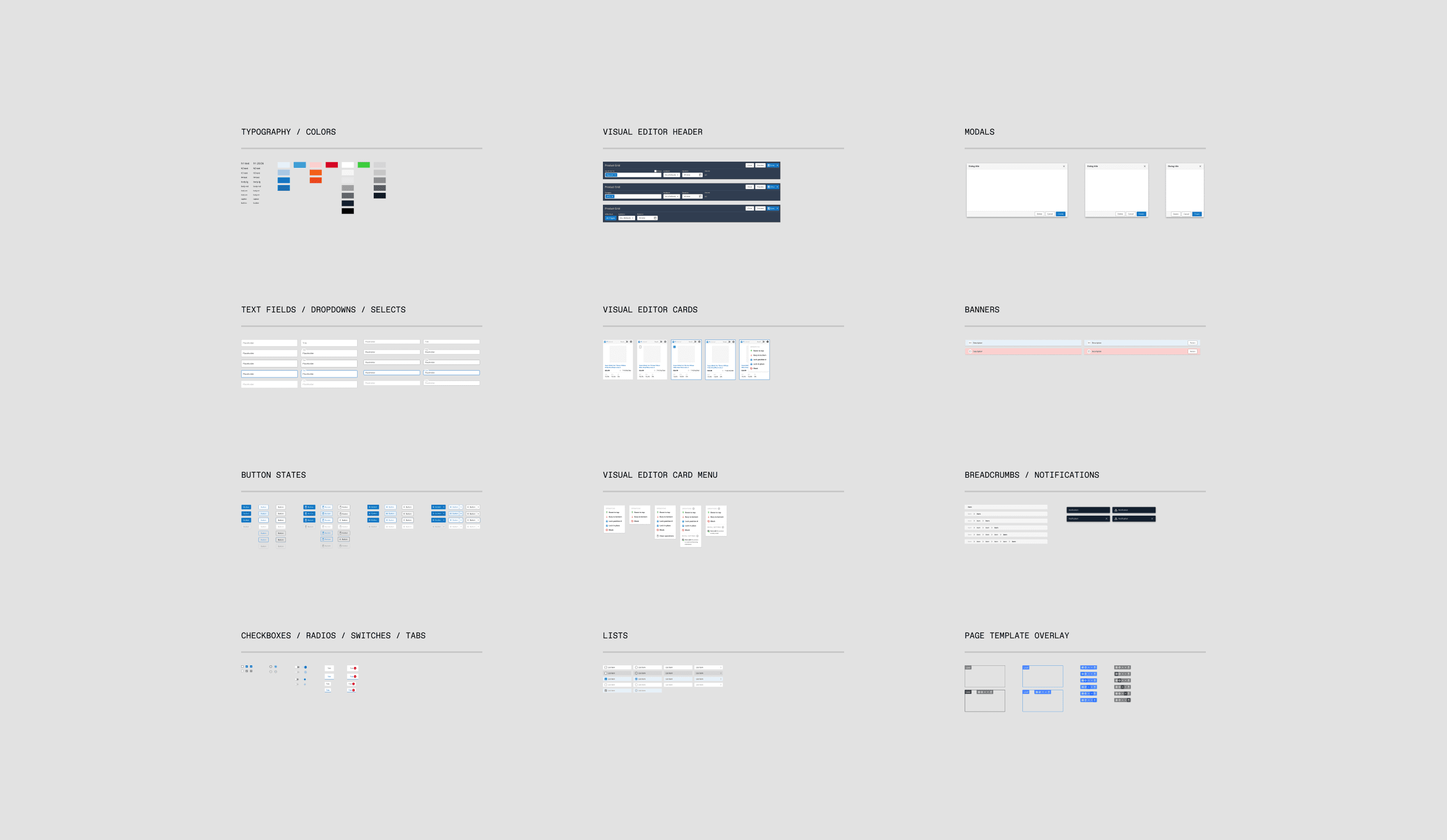
Built a comprehensive design system to bring consistency, efficiency, and scalability across the Product Grid Editor and future Bloomreach products. It standardized visual foundations—typography, spacing, and color—and introduced a library of reusable UI components for faster, more cohesive interface design.
Beyond visuals, detailed documentation and interaction patterns empowered seamless collaboration between design and engineering. This foundation reduced redundancy, sped up development, and ensured that every new feature aligned with the established user experience framework.
Talking to Customers
User feedback shaped every stage of the Grid Editor redesign.
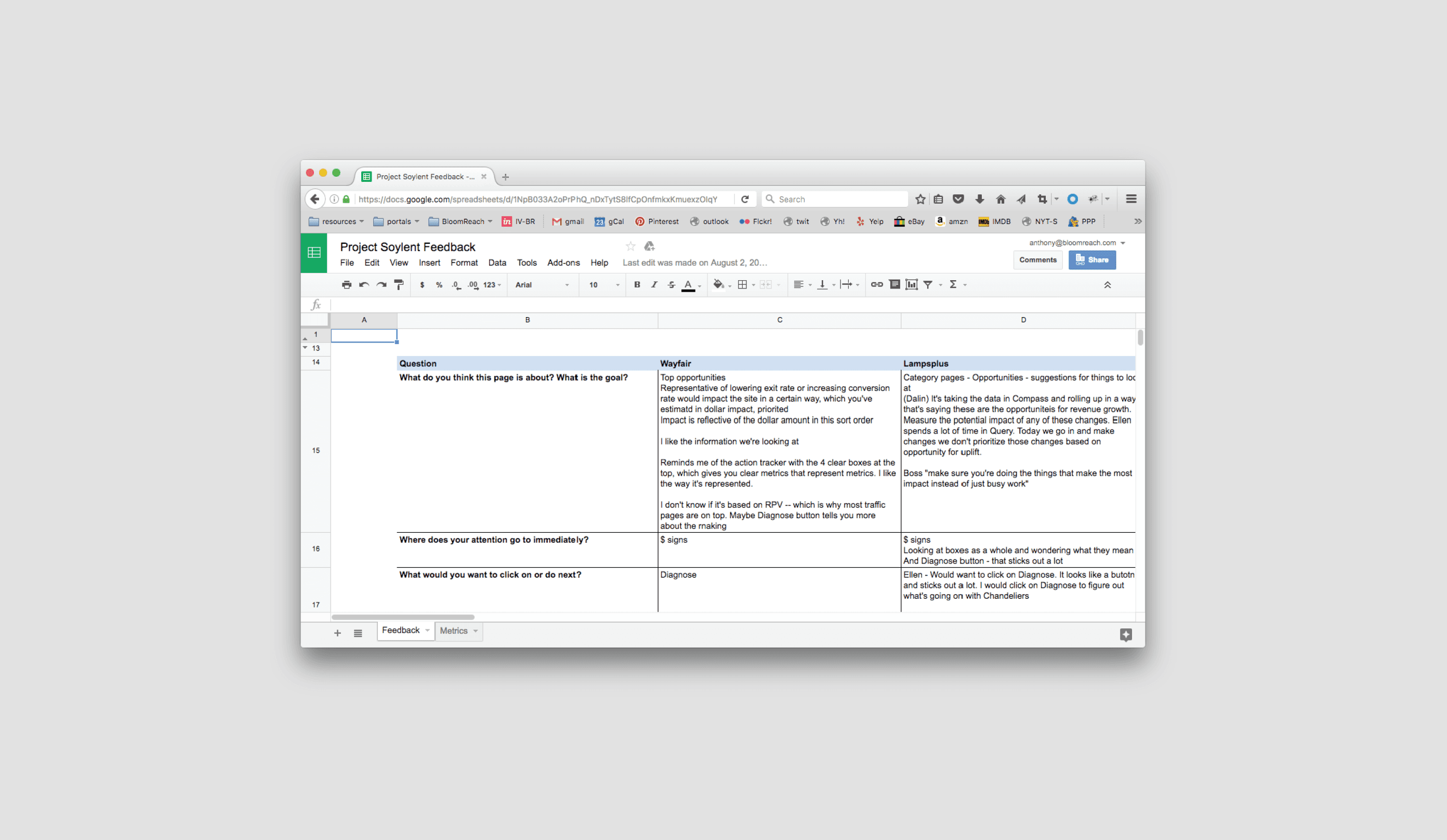
Through weekly customer success sessions and usability testing, we uncovered pain points like rule conflicts and unclear grid impacts. This iterative feedback loop helped refine workflows, simplify interactions, and bring greater clarity to the overall experience.
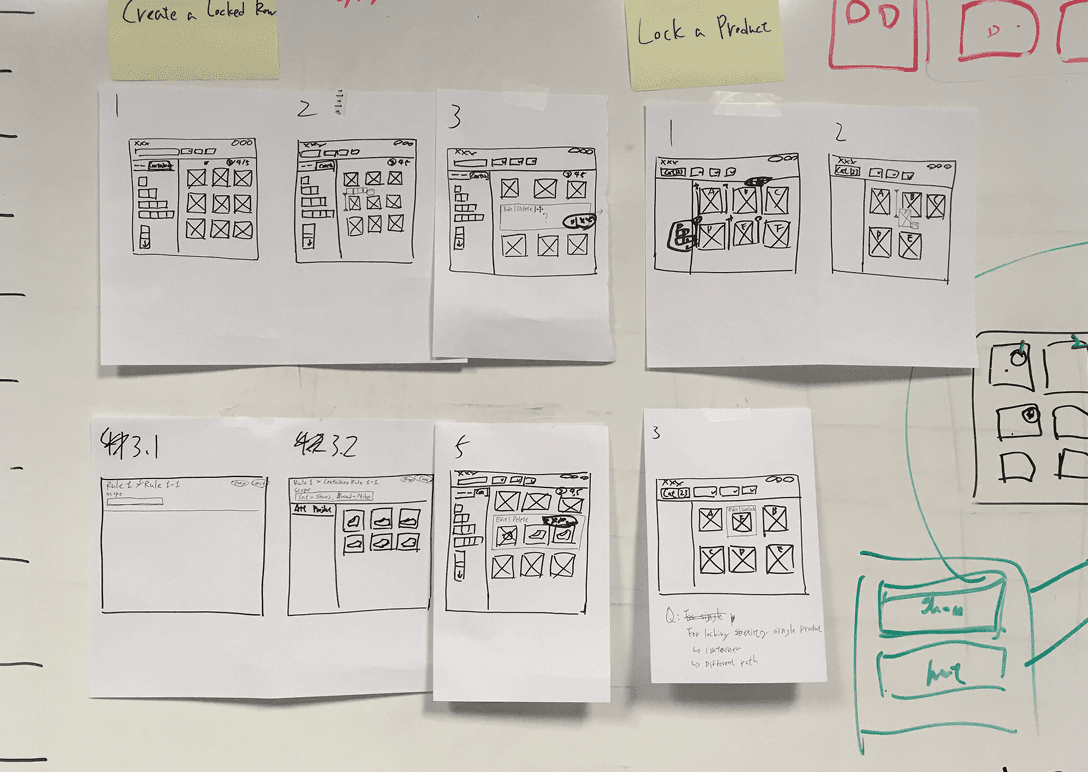
Reframing how merchandisers collaborate with AI.
Impact
By redesigning Bloomreach’s Grid Editor, Faculty Studio helped bridge the gap between human intuition and AI intelligence—creating clarity, trust, and measurable impact across teams.
40%
Reduction in editing time during internal testing
60%
Increase in adoption of AI-assisted merchandising tools post-launch
33%
Drop in support tickets related to merchandising workflows
Project credits
Design
Anthony Nguyen
Design direction
Anthony Nguyen
Albert Wang
Development
Ashok Sathyanarayan
Digant T
Project management
Sarika Kumari
Apoorva Nagasundara
Year
2022-2023